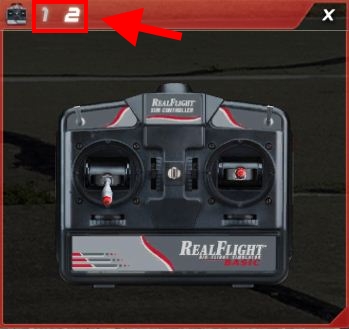
How to change the mode of the on-screen radio.
Summary
By default, the on-screen radio in basic displays the gimbals moving in a Mode 2 configuration. If you purchased RealFlight Basic with a Mode 1 controller, you will want to change the on-screen radio to match.
Resolution
When the on-screen radio is visible, click the radio with your mouse cursor to display the title for the radio gadget. At the top left on the title bar, you will see the number 1 and the number 2. Click the number that corresponds to the mode of your RealFlight Basic controller.